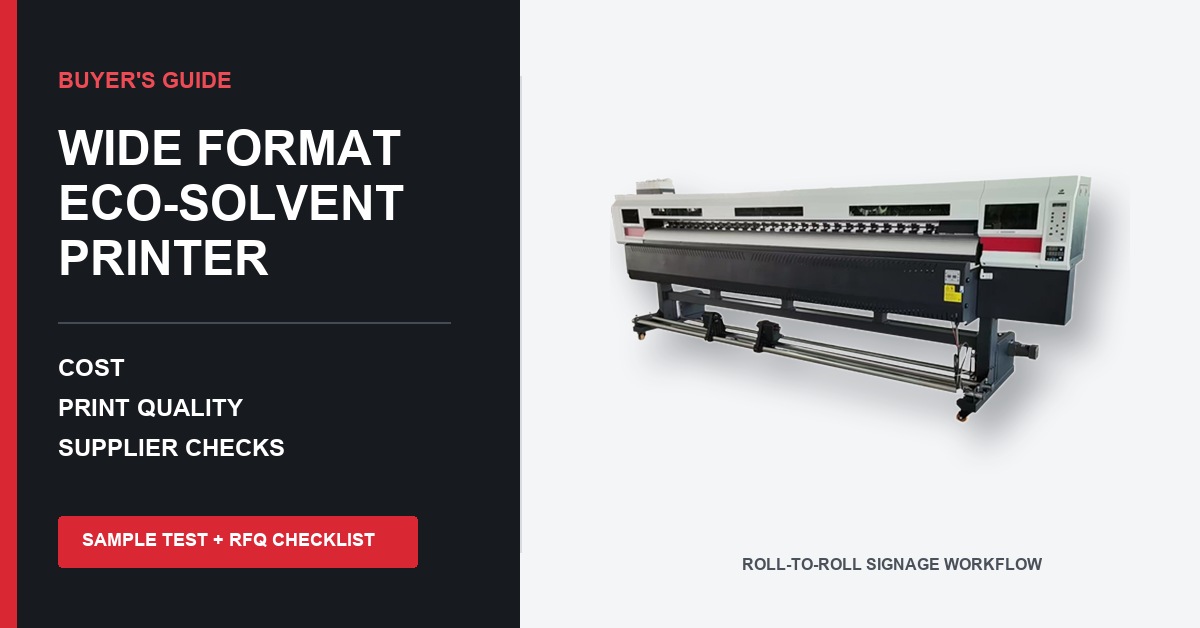
Short answer: if most of the work leaving your shop is printed on rolls, this is probably the machine category worth examining first. Think adhesive vinyl, banner, wall and window film, canvas, fleet markings, and short-run decals. Still, width and brochure speed settle very little. The useful question is more grounded: can this particular printer run your awkward file on your usual media, at a pace you can sell, without turning every Monday morning into a maintenance project? Cost and support belong in that same question.
Perhaps you already have two quotations open. Perhaps this is the first printer for a new sign department. Either way, the pages below are meant for the point where general research has to become a purchase decision. We will sort out where eco-solvent fits beside UV, latex, and DTF, pull apart the vague lines in a quotation, and build a sample test that a supplier can either pass or fail. There is a scorecard near the end, plus an RFQ list that can go straight into an inquiry.
What Is a Wide Format Eco Solvent Printer?
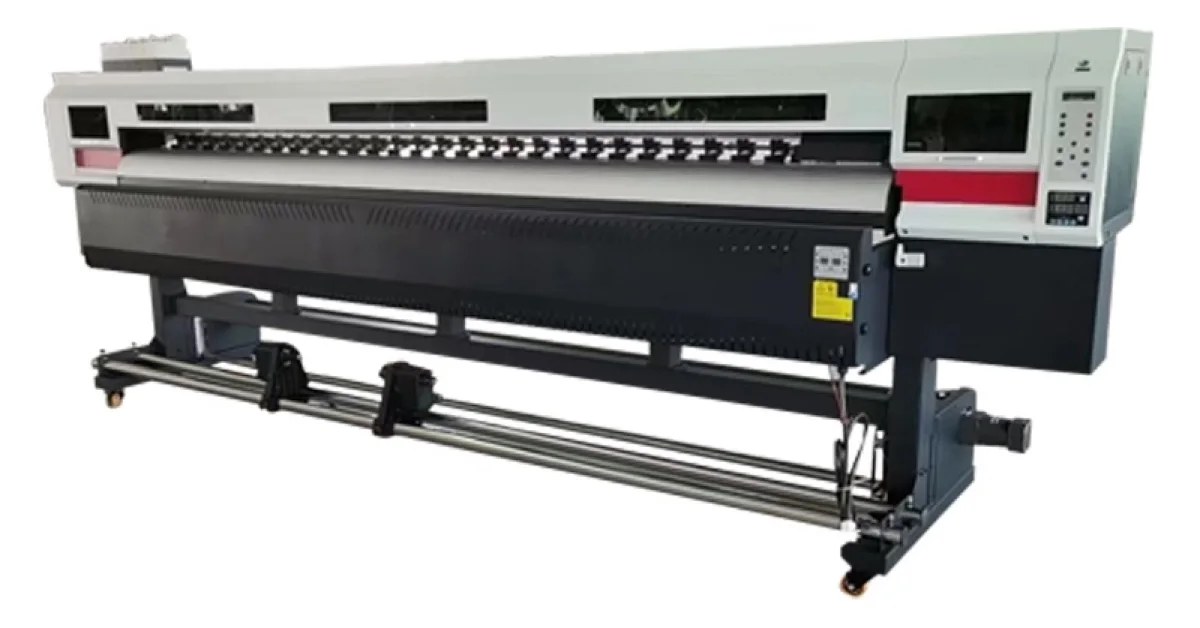
At heart, the machine is a roll-fed inkjet built for commercial graphics. Pigmented solvent-based ink lands on a compatible coated surface; heat and moving air help that ink settle and dry. What comes off the roll may become a shop-window promotion, a delivery-van panel, a warning label, a canvas, a wall graphic, or a banner stretched above a street. That ordinary variety is the reason the category remains so useful.
The awkward word here is eco. In this market it usually separates milder solvent chemistry from older, aggressive solvent inks; it is not a promise that every room will be odor-free or that ventilation no longer matters. Read the actual Safety Data Sheet. Read the printer maker's handling notes too. Storage, airflow, waste ink, gloves, and local workplace rules are dull details right up until they are ignored.
Many general-purpose systems sit around the 1.6-meter, or 64-inch, class. That width catches a broad middle of signage and décor work without demanding the room of a much larger industrial line. It can also be the wrong choice. A decal shop may earn more from a compact platform that changes jobs quickly, while a wall-graphics producer may care more about avoiding tiled panels. Look at last month's quotes: their widths are better evidence than the biggest figure in a catalog.
Who Gets the Most Value From This Printer?
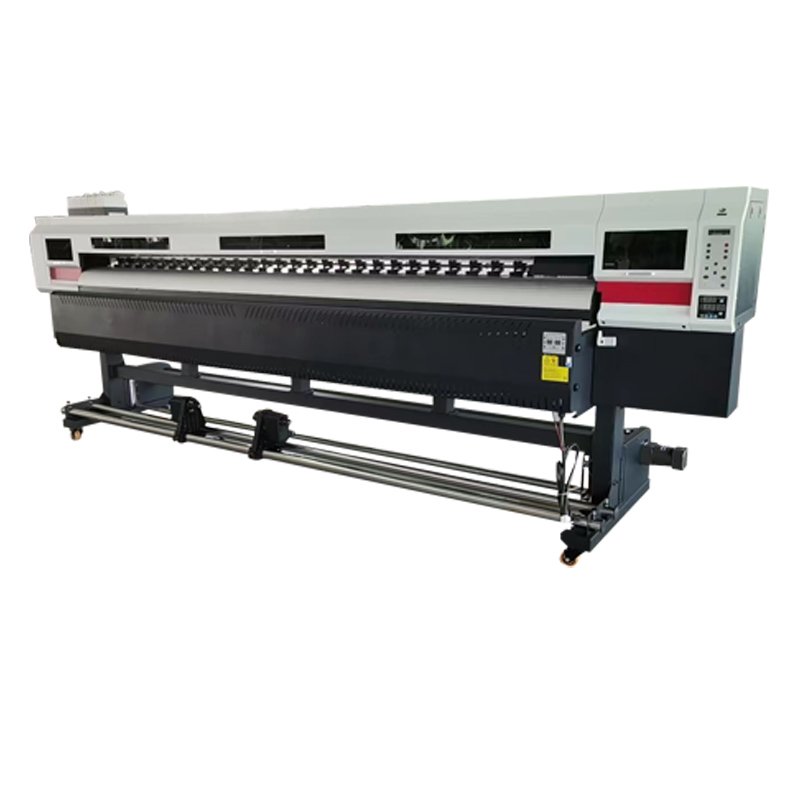
An eco solvent printer machine makes the strongest business case when a large share of revenue comes from flexible roll media. Typical users include sign shops, vehicle-wrap studios, advertising production companies, label and sticker suppliers, event graphics businesses, retail display producers, and manufacturers that need branded decals or identification graphics in-house.
The appeal is easy to see in a mixed day: contour-cut labels before lunch, a banner after it, then two laminated panels for a local fleet. Yet the variety only pays when the profiles are ready, the laminator and cutter keep up, and someone on the shift knows what to do when a nozzle test looks odd. Versatility does not rescue a half-built workflow. It merely gives that workflow more ways to queue up.
There are clear reasons to walk away from eco-solvent. Rigid boards, textured objects, direct garment decoration, or jobs that must go straight from printing into finishing can pull the decision toward flatbed UV, a textile process, DTF, or latex. Count steps in the work you sell most often. The process that removes two of those steps will usually beat the process that claims forty possible applications.
Eco Solvent vs. UV, Latex, and DTF: Which Is Better?
There is no universal winner. Each process solves a different production problem. Use the comparison below as a first filter, then validate the short-listed process with your own files and substrates.
| Technology | Best fit | Main buying advantage | Watch carefully |
|---|---|---|---|
| Eco-solvent roll printer | Vinyl, banners, wall film, decals, vehicle graphics | Broad roll-media workflow and mature finishing ecosystem | Drying, ventilation, media profiles, maintenance, lamination timing |
| UV printer | Rigid boards, specialty objects, layered effects, selected flexible media | Instant UV curing and the option for white or varnish on some systems | Ink flexibility, surface adhesion, lamp condition, head-strike risk |
| Latex printer | Signage, décor, retail graphics, fast finishing | Prints can often move quickly into finishing | Heat-sensitive media, power demand, compatible profiles |
| DTF printer | Garment transfers | Transfers for many fabric types and short runs | Powder, curing, humidity, wash testing, consumable handling |
If you are still comparing processes, read our UV printer factory checklist and DTF printer machine factory guide. The evaluation principles overlap: demand a repeatable sample, document the configuration, and judge the complete workflow rather than a showroom print.
12 Checks Before Buying a Wide Format Eco Solvent Printer
1. Start With Finished Jobs, Not Machine Specifications
Take five real jobs and put them on one sheet of paper. Use the five that pay the bills now, or the five you genuinely expect to sell first. Beside each, note finished size, media, monthly area, viewing distance, expected life, finishing, and the turnaround customers were promised. The exercise feels almost too basic. It is also a good defense against paying for a maximum specification that never appears on an invoice.
For example, a 64 inch eco solvent printer may sound ideal for vehicle wraps, but the profitable workflow also needs reliable take-up, stable long-panel tracking, correct color profiles, lamination capacity, and a cutter that can handle the same production width. If any one of those pieces is undersized, the printer's nominal width will not become sellable output.
2. Separate Headline Speed From Sellable Production Speed
Printer speed is usually quoted in square meters or square feet per hour, but the number is incomplete without the print mode. Ask for pass count, resolution, ink configuration, bidirectional or unidirectional mode, media type, heater settings, and the quality level used for the measurement. A fast draft mode for distant-view banners should not be used to estimate delivery time for close-view retail graphics.
During a demonstration, watch a full job rather than a short color strip. Include gradients, small reverse text, neutral gray, skin tones, saturated brand colors, fine lines, and heavy ink areas. Measure from file preparation to a print that is ready for the next step. Cleaning, media loading, drying, rewinding, cutting, and operator checks all belong to production time.
3. Treat the Printhead as Part of a System
Buyers often compare printhead names as if the head alone determines quality. It does not. Stable output depends on waveform control, ink chemistry, filtration, capping, wiping, carriage alignment, temperature, RIP screening, and the supplier's maintenance procedures. Two machines using a similar head can behave very differently over a six-hour run.
Ask how many heads are installed, what colors each head carries, whether there are shared channels, what the normal firing-frequency and cleaning strategy is, and how a head replacement is calibrated. Request the replacement price in writing. Also ask whether the supplier keeps the head, cap top, dampers, pumps, wipers, filters, encoder components, and commonly replaced boards in regional stock.
4. Inspect the Ink Delivery and Maintenance Design
A commercial vinyl printer spends its life moving ink consistently. Look beyond tank capacity. Check how the system prevents contamination, manages negative pressure, identifies low ink, filters fluid, and protects the head during idle periods. Ask what happens after a power outage and how long the machine can sit without printing.
Daily maintenance should be visible and reachable. An operator needs enough access to inspect the nozzle plate area, wipe approved surfaces, clean around the cap and wiper, empty waste safely, and confirm the nozzle test. If routine work is awkward, it will be skipped when the shop gets busy. That is how small maintenance debt turns into color drift, missing nozzles, reprints, and emergency service.
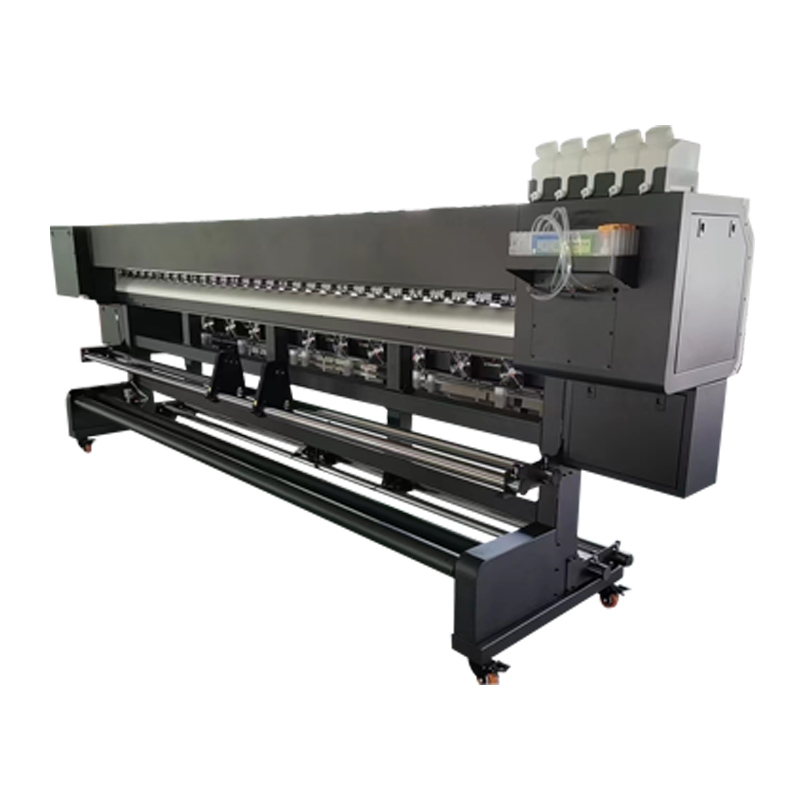
5. Confirm Media Handling With Your Heaviest and Most Difficult Roll
A long print exposes the media system. Before the demo, find the roll nobody in the shop enjoys loading: heavy, slippery, slightly curled, whatever makes it troublesome. Check its weight and core against the proposed holders. Then watch the feed tension, pinch rollers, edge sensing, and take-up behavior. A tidy one-meter sample proves almost nothing here; the useful trial is at least as long as the panels you sell.
The nasty thing about tracking errors is their timing. The first meter looks fine. Several meters later the edge has wandered, or the finished roll has begun to telescope. Put a pencil mark at the starting edge, measure drift as the job runs, and inspect the wound roll before anyone cuts it off. If time allows, run the test twice: once with a light film and once with a heavier banner. They pull differently.
6. Demand Color Evidence, Not Adjectives
"Vivid" sounds pleasant in a sales call, but no operator can approve a job against it. Decide what color success looks like in your shop. One customer may care about a named corporate red. Another will notice a green cast in neutral gray. A wall-panel client may care less about a single measured patch than about three panels agreeing with one another on Tuesday and again on Friday.
The ICC profile must belong to the combination on the floor: this ink, this media, this mode, this RIP. The International Color Consortium provides the underlying color-management framework, although a profile cannot tidy up a poor nozzle test or a badly set ink limit. Heater settings, linearization, media lots, and measurement habits all move the result. One revealing question for a supplier is simply, "When was this profile last checked, and who can rebuild it?"
For a brand-color test, send a vector file with target Lab values or a physical approved reference. Measure the result with an appropriate instrument when the contract requires numerical tolerance. If the business does not own a spectrophotometer, agree on a visual approval method under controlled lighting and keep a signed sample as the production reference.
7. Test Fine Detail, Gradients, and Banding in the Same File
A good acceptance file makes several weaknesses visible at once. Include six-point positive and reverse type, one-pixel rules, smooth gradients, light tints, neutral ramps, saturated blocks, photographic detail, and large flat fields. Add a long horizontal area that can expose feed banding. Print it in the recommended production mode, then repeat after the machine has been running for several hours.
A phone photograph is a poor acceptance sample. Compression smooths banding, screens invent brightness, and camera software politely repairs color. Get the print in your hands. When distance makes that impossible, ask for one continuous video: nozzle test first, then the RIP screen, the control panel, the actual run, take-up, and close inspection. Mysterious cuts in the recording deserve a question.
8. Understand Drying, Curing, Lamination, and Finishing Time
Touch-dry is not always finish-ready. A dark, ink-heavy panel on dense vinyl can behave differently from a light banner, particularly in a cool or humid room. Start with the ink and media makers' written guidance, then run the combination through your own laminate and adhesive process. The shop test decides the schedule.
Build finishing time into the sales promise. If a vehicle graphic must rest before lamination, that time is part of lead time even when the printer has already stopped. A rushed workflow can trap residual solvent, affect adhesion, create edge lift, or change appearance. The correct period depends on the ink-media-laminate combination, so a generic number should never replace a tested shop procedure.
9. Check RIP, Cutting, Nesting, and Data Workflow
A RIP is not merely a pipe between artwork and printer. It touches screening, color, ink limits, tiles, nesting, repeats, spot colors, cut paths, job records, and the queue an operator sees at 4:45 p.m. Get the license details in plain language: exact edition, permanent or subscription, allowed computers, supported operating systems, upgrade rights, and any features that sit behind another payment.
Print-and-cut accuracy should be tested after the inconvenient steps, not before them. Remove the roll. Let it rest as required. Laminate it. Load it again. Now cut both tiny labels and a long decal. See whether barcodes or crop marks reliably reconnect the physical roll with its cut file. For a separate cutter, write down usable width, optical sensing, force, stand, software, basket, and handling accessories; the model name by itself leaves too much unsaid.
10. Plan the Workspace, Power, Ventilation, and Material Flow
Walk the delivery route with a tape measure. Begin at the truck door, not at the prepared corner of the print room. Crate dimensions, a narrow turn, elevator capacity, floor loading, or a service panel facing a wall can wreck an otherwise sensible installation plan. On the electrical side, pin down voltage, frequency, plug, grounding, peak load, environmental range, and any separate feed required by the dryer or take-up.
Read the ink Safety Data Sheet before the crate arrives. NIOSH guidance treats local exhaust as an important engineering control in work that can release airborne contaminants, but the right setup here depends on the ink, room volume, hours of use, and local rules. That calculation belongs with the manufacturer documentation and a competent local safety adviser. "We can barely smell it" is not a measurement.
11. Audit Service Before You Audit the Discount
One long stoppage can eat a discount surprisingly quickly. So place a pretend support call before signing: Who answers? In which language? At what local time? What happens when the first person cannot solve it? Follow the path from operator support to a technician and, if needed, factory engineering. Remote diagnosis, on-site labor, travel, and response hours should have prices or boundaries, not just reassuring adjectives.
Training that ends with the first attractive print is a product demonstration. Operator training goes further: installation checks, loading, nozzle tests, cleaning, profile choice, RIP setup, defect diagnosis, shutdown, long-idle preparation, waste, and warranty evidence. Request the lesson outline in advance. It tells you whether the supplier has a training process or intends to improvise one beside the crate.
Then test the parts promise. Choose three likely service items and three critical items, and ask for current availability, lead time, price, and shipping origin. A statement such as "all parts are available" is not evidence. A dated parts quotation is better.
12. Calculate Total Cost per Sellable Square Meter
Ink per liter is easy to compare and easy to misuse. What the business needs is the cost of a square meter that survives inspection and can be invoiced. Put ink, media, cleaning fluid, caps and wipers, waste, electricity, labor, RIP fees, service, an allowance for head replacement, finance, floor space, rejected prints, and finishing into the same model. The uncomfortable numbers belong there too.
Use a conservative utilization rate. A printer may be theoretically available for eight hours, but meetings, artwork corrections, media changes, maintenance, drying, and finishing reduce productive time. Divide fixed monthly cost by realistic sellable output, not maximum brochure capacity.
Use this as the basic arithmetic, then adapt the line items to the shop:
Cost per sellable square meter = all monthly fixed and production costs, including expected reprints, divided by the square meters actually shipped.
Run three scenarios: expected volume, half volume, and a busy month. The half-volume result shows whether the investment remains manageable during a slow sales period. The busy-month result exposes finishing or staffing bottlenecks that the printer quotation does not mention.
What Does an Eco Solvent Printer Cost?
There is no honest single price for the phrase "eco solvent printer." One quotation may be a bare entry machine; the next may describe a production cell that can be installed and earning. Width, head configuration, ink channels, take-up, dryer, RIP, cutter, computer, voltage work, crate, freight, duties, installation, training, spare parts, and warranty can all move the number. Unless those lines are visible, two totals are not comparable.
A better price conversation has three totals, not one:
- At your door: machine, selected options, crate, freight, insurance, duties, local delivery, installation, and tax.
- Ready for the first paid job: the landed total plus RIP, computer, cutter, laminator, airflow work, electrics, starter media, ink, tools, and operator training.
- The first twelve months: consumables, planned service, likely wear parts, software, labor, waste, and a realistic reprint allowance.
This format makes supplier quotations comparable. It also prevents a familiar surprise: the least expensive machine requires several unquoted items before it can deliver a finished saleable product.
A Sample Test That Produces Useful Evidence
A sample is the closest thing to a pre-purchase production trial, so design it carefully. Do not send a beautiful photo and ask whether the output looks good. Send a controlled package that represents the difficult parts of your actual work.
- Provide the original PDF or TIFF, target dimensions, and a reference screenshot.
- Name the exact media or send a roll from the same supplier and product code you plan to use.
- Specify the production print mode. Do not allow an ultra-slow exhibition mode unless you will sell work at that speed.
- Ask for a nozzle test before and after the run.
- Record RIP, profile, resolution, pass count, heater settings, speed, ink lot, and room conditions.
- Print enough length to test tracking and take-up, not only image quality.
- Finish the sample as a real order: outgas if required, laminate, cut, apply, and inspect.
- Keep one approved sample and the recorded settings as part of the purchase specification.
For vehicle or outdoor work, add an adhesion and finishing test on the intended film and laminate. For window graphics, inspect transmitted light. For wall film, apply the sample to the actual paint system when possible. For labels, test contour accuracy, weeding, edge lift, and packaging abrasion. Each application fails in its own way; the sample should be designed to reveal that failure before the machine ships.
How to Compare Two Supplier Quotations
Open a blank table and retype both offers into it. Yes, retype them. The differences become obvious once matching items share a row. Leave a blank as unconfirmed; never turn silence into an included accessory. Head configuration, ink set, usable width, take-up, dryer, RIP edition, computer, starter stock, spares, warranty exclusions, installation, training, freight terms, and service response all need their own line.
Then grade the proof, not the confidence of the salesperson. A live run on your media beats a polished generic video. A warranty tied to the serial number beats a promise in chat. A named technician with working hours beats "24/7 support." A dated consumables sheet beats "low running cost." Once claims become paper, samples, and pass/fail tests, the choice is usually less mysterious.
One useful weighting model is:
- 25% sample quality and repeatability
- 20% service capability and parts availability
- 15% realistic production speed
- 15% twelve-month total cost
- 10% media handling and finishing compatibility
- 10% training, documentation, and workflow fit
- 5% delivery schedule and commercial terms
Change the weights to match the business. A remote buyer may assign more weight to service and spares. A same-day retail shop may emphasize production speed. A color-critical brand supplier may put sample repeatability first. No one should pretend the percentages are laboratory science. Their job is to make the team argue about priorities before a last-minute discount hijacks the meeting.
Red Flags in a Wide Format Printer Offer
- The quotation lists a printer model but not the installed head, ink configuration, RIP, dryer, take-up, or voltage.
- The supplier quotes only maximum speed and will not name the mode used.
- The sample is produced on unknown media with unknown settings.
- The seller refuses to show a nozzle test or an uninterrupted production run.
- Warranty language excludes most ink-system components but the sales summary says "full warranty."
- Replacement head, board, cap, pump, and damper prices are unavailable.
- The supplier promises outdoor life without identifying the ink, media, laminate, installation, climate, and test basis.
- Ventilation is dismissed only because the ink has a mild odor.
- Training covers software installation but not maintenance and fault recovery.
- The price changes when basic production items are added after the deposit discussion.
A single red flag may be a documentation gap. Several together indicate a commercial risk. Slow the process down and ask for written evidence.
RFQ Checklist: What to Send for an Accurate Quote
A useful inquiry reads a little like a production brief. It saves the buyer from repeated sales calls and gives a serious supplier enough information to rule out the wrong configuration. Add these details:
- Primary applications: banners, stickers, vehicle wraps, wall graphics, window film, canvas, or another product
- Required finished print width and maximum roll width
- Typical and peak monthly square meters
- Shortest normal turnaround time
- Media brands, product codes, roll weights, and core sizes
- Required colors, brand-color tolerance, and viewing distance
- Need for contour cutting, lamination, white ink, or special finishing
- Available power, room size, temperature control, and ventilation plan
- Destination city, country, port, and preferred Incoterm
- Operator experience and requested training language
- Target installation date
- Files and media for the acceptance sample
Frequently Asked Questions
Is an eco solvent printer good for outdoor signs?
Yes, it is a familiar process for outdoor signs. The printer is only one part of the durability story, though. Ink, media, laminate, preparation, installation, sun, weather, and later cleaning all have a vote. Test the exact stack and look for documented compatibility; a single "outdoor years" figure cannot describe every climate or use.
Can an eco solvent printer print vehicle wraps?
Yes, compatible eco-solvent systems are commonly used for vehicle graphics. A successful wrap workflow also requires cast or suitable conformable film, correct color profiles, adequate drying or outgassing, compatible laminate, accurate cutting, surface preparation, and trained installation. Test a complete print-laminate-apply cycle before committing to fleet work.
Is a 64 inch eco solvent printer the best size?
It is popular for good reason: plenty of sign media and wrap panels fit it. Popular is not the same as right. Set common roll sizes beside finished panel dimensions, room, staffing, cutter width, laminator width, delivery access, and monthly volume. Decal work may favor a smaller, nimble machine. Big wall jobs may justify more width simply to avoid another seam.
How much ink does an eco solvent printer use?
There is no dependable rate without a job. A pale repeat pattern and a dark photographic wrap do not drink ink alike; profile, mode, resolution, ink limits, cleaning, nozzle health, and waste change the figure again. Have the supplier record consumption during the sample run. Count cleaning and waste ink as well, because the bottle does not care whether its contents reached the saleable image.
Does eco solvent printing need ventilation?
Start with the ink Safety Data Sheet and the machine maker's instructions, then add the room, hours of use, and local workplace rules. A mild smell answers none of those questions. Depending on the installation, a competent local adviser may recommend general room airflow, local exhaust, or other controls.
How often does the printer need maintenance?
Expect brief operator care often, plus less frequent jobs and a few tasks triggered by condition rather than the calendar. The rhythm changes with model, ink, dust, temperature, workload, and long idle weekends. Get the official schedule before buying and put both the minutes and the consumables into the cost sheet.
Should I buy an integrated print-and-cut machine or separate devices?
An integrated machine can simplify small-shop workflow and save space. Separate devices can let printing and cutting run at the same time and may offer more flexibility at higher volume. Compare throughput, registration after lamination, reloading accuracy, usable width, staffing, floor space, and failure impact before choosing.
What files should I send for a printer sample?
Send files that expose your difficult production requirements: small text, neutral grays, gradients, brand colors, fine lines, saturated areas, photographs, cut paths, and a long panel. Include intended size, media, finishing, reference colors, and the production speed you need. A demanding sample is more valuable than a generic showroom image.
What warranty details matter most?
First find the start date; shipment, arrival, and installation are three different possibilities. Then mark covered parts, consumable exclusions, approved ink, labor, travel, remote help, response time, claim evidence, and the path for a replacement. Read the clauses for heads, dampers, pumps, caps, boards, heaters, and motors slowly. Also note when the supplier can blame ink choice or maintenance and decline the claim.
How can I reduce the risk of buying from an overseas supplier?
Turn the deal into a trail of verifiable items: written configuration, live sample, acceptance sheet, video inspection, serial-numbered packing list, clear Incoterm, cargo cover, spares, training dates, and sensible payment milestones. Verify the legal seller and the people who will provide service. For a large order, paying an independent inspector before shipment can be cheaper than discovering a mismatch after the crate crosses an ocean.
Final Buying Advice
A wide format eco solvent printer can be a productive, flexible investment, but only when the machine is evaluated as part of a complete business workflow. Begin with the jobs you will sell. Test the exact files and media. Record the print mode. Inspect long-run tracking. Verify color, drying, finishing, maintenance, service, spares, and twelve-month cost. Then put every promised item into the quotation and acceptance document.
The best buying conversation is specific. Instead of asking for the "best printer," tell the supplier what must leave your shop each day. That gives both sides something concrete to engineer, price, test, and approve.
Authoritative References
Due diligence should end with documents for the exact printer and ink being offered, not with this article. For background, the International Color Consortium explains the color-management framework, while the U.S. National Institute for Occupational Safety and Health publishes ventilation resources. Current product, ink, maintenance, and safety material from established manufacturers such as Roland DG, Mimaki, and Epson is also useful when learning which questions to ask. These are technical reference points, not an endorsement of a particular supplier or model.